To Enable a Disabled User
- Navigate to login.venn.com and sign in with valid credentials.
You may be required to verify the sign-in by completing the multifactor authentication on your mobile device. - Click Company admin or Manage > Company admin.

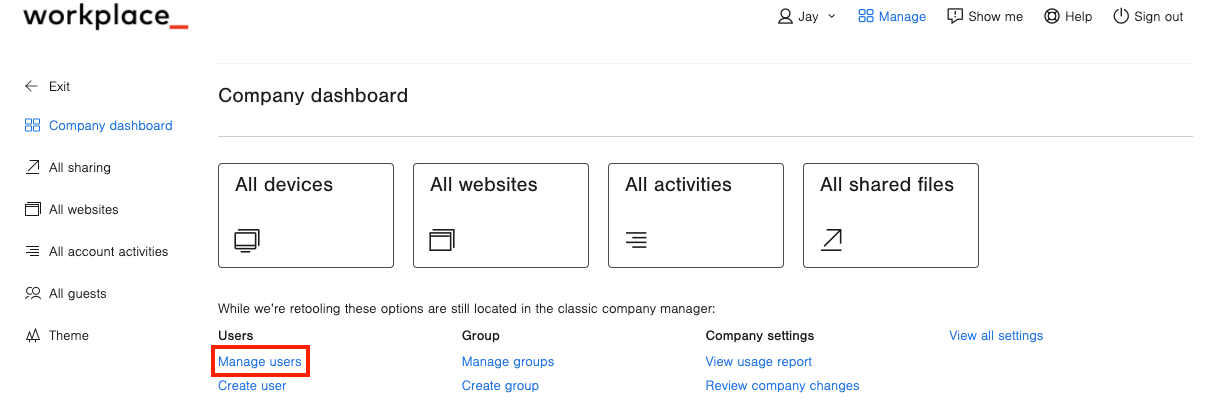
- Click Manage users.
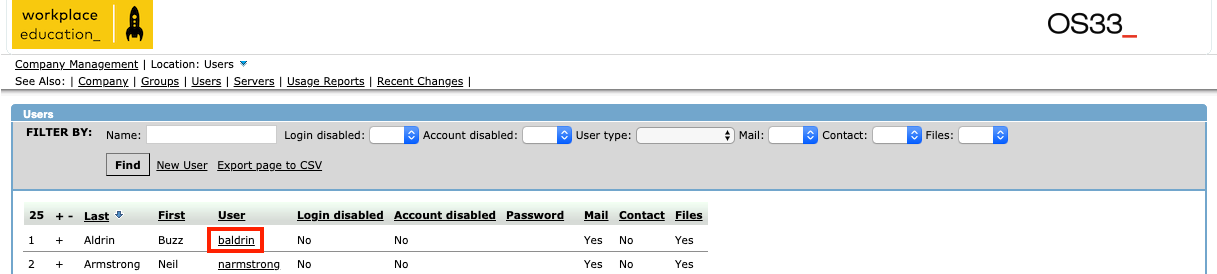
- Click on the user's name.
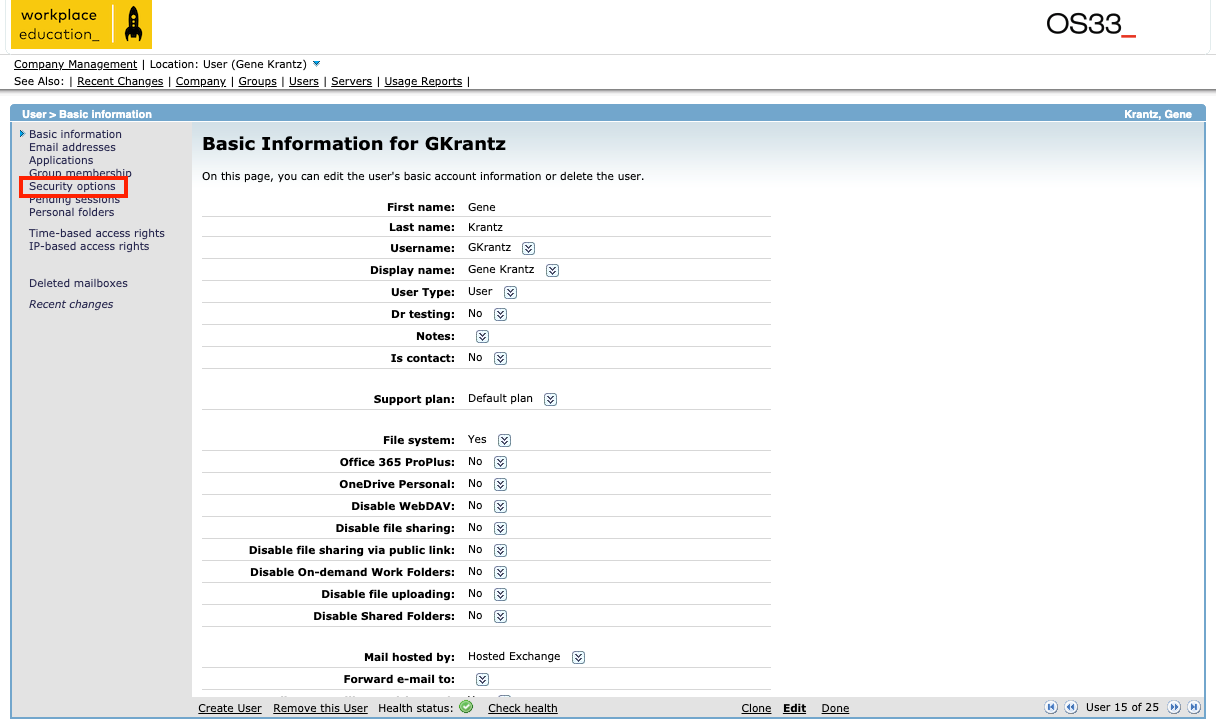
- Click on Security options.
- Click Edit at the bottom of the page.
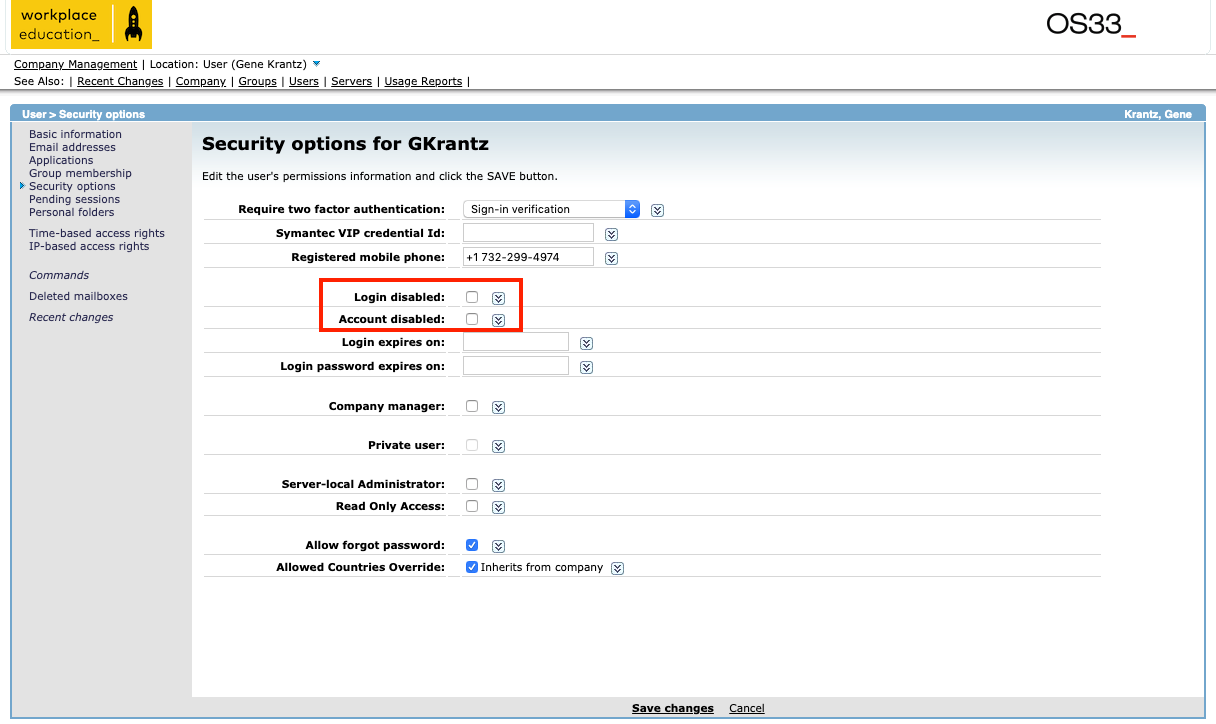
- Uncheck the box next to Account disabled and Login Disabled.
- Click Save changes at the bottom of the page.
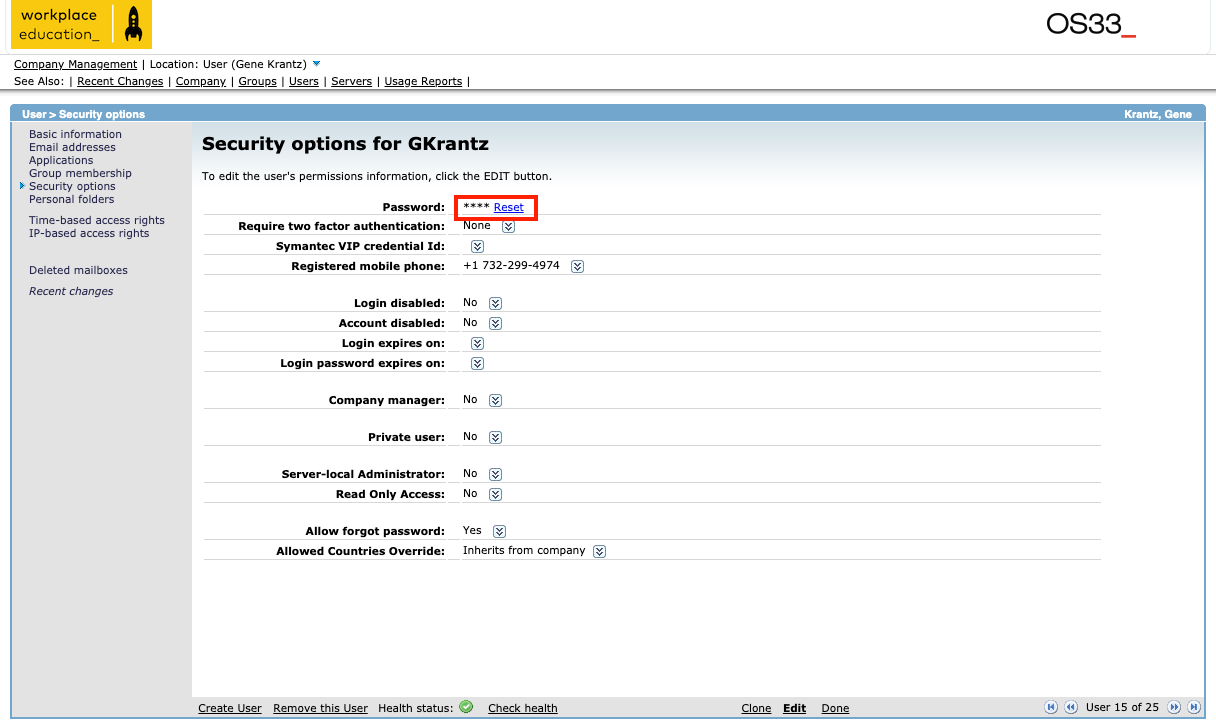
- Click Reset to reset the account's password.
- Share the Activation Code with the user.